


Turbo VPN - Secure VPN Proxy
4.7204.68K Reviews
App Specs
- Version
- 4.3.0.2
- Updated On
- License
- Free
- Downloads
- 500,000,000+
- Developer
- Innovative Connecting
- Categories
- Tools
- Platform
- Android, iOS
Screenshots


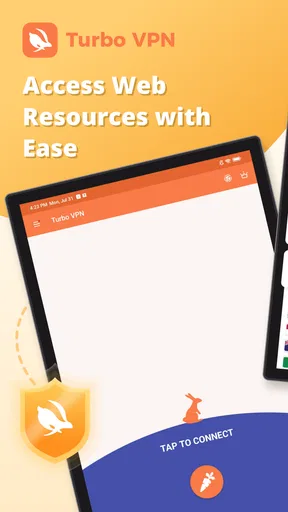
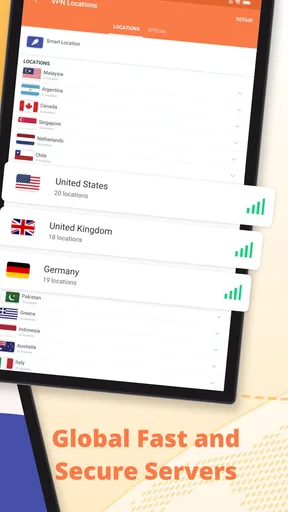
 Analysis by AppCompare
I see Turbo VPN as a convenience-first VPN: it makes getting a protected connection feel simple, which is useful when I want a quick tool rather than a project to configure. That ease is its clearest strength, but it shouldn’t be mistaken for a guarantee that every online activity is anonymous or that every streaming service will always work. I’d recommend it most to people who want an approachable option for everyday browsing, while anyone with demanding privacy needs should compare providers carefully before relying on it.
What a quick connection is good for
In an ordinary day, I can imagine opening the app before joining Wi-Fi at a café, connecting, and then checking messages or looking up directions. That is a practical use for a VPN: it adds a layer between a device and the network it is using. It does not make a risky link safe to open, replace careful account security, or prevent every kind of tracking. I treat it as one useful habit, not a complete security plan.
The app is a free tools app from Innovative Connecting, and its simple connection-first approach makes sense for someone who doesn’t want to learn networking terminology before trying a VPN. Turbo VPN has a 4.7 average from around 9.9 million ratings and has passed 100 million installs, so it is clearly familiar to a large audience. Those figures indicate reach, not proof that it is the right fit for every user or a substitute for checking whether its current behavior matches your needs.
When simplicity helps—and when it gets in the way
A single prominent connection action lowers the barrier to getting started, especially for someone who has never used a VPN. The trade-off is that a very simple interface may offer less visibility and control than a specialist user wants. If I need to choose a particular protocol, inspect detailed connection diagnostics, or build a carefully tuned setup, I would look for a service that clearly exposes those controls rather than assuming a basic screen has them.
There is also a useful distinction between connecting and being protected in the way you expect. A VPN routes traffic through a provider, so choosing one means placing trust in that provider as well as in the app. Before using any VPN for sensitive work, I would read its current privacy and security explanations, check what protections are actually available in my installed version, and test the connection behavior with non-sensitive browsing first. That is a more grounded approach than treating a security label as a blanket promise.
How it fits beside other VPN choices
Compared with manually configuring a VPN through a device’s network settings, Turbo VPN is designed to reduce setup friction: I can use a dedicated app rather than assemble connection details myself. That is a meaningful advantage for casual use. Compared with a paid privacy-focused provider that emphasizes transparent policies, detailed controls, and a clear account of its security practices, however, a straightforward free-first app may be less suitable for someone who wants to evaluate every technical and privacy detail before connecting.
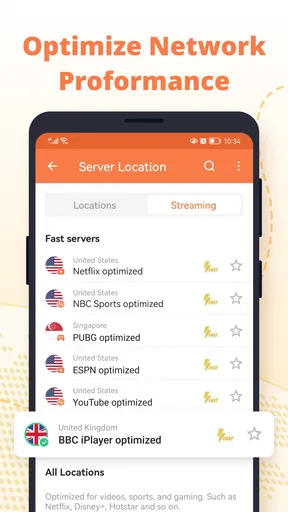
Streaming is another area where expectations matter. A VPN can sometimes change the apparent region of a connection, but platforms actively manage access and can change their rules or detection methods. I would not subscribe solely on the assumption that a particular library will remain available. If a service works for a particular trip or viewing session, consider that a practical bonus rather than a permanent guarantee; if reliable access to one specific platform is essential, verify it before paying.
Worth Reading Before You Choose

Baby Panda World Brings Quick Play to Modern Phones, but Its Game Library Feels Busy

ESPN’s Live Game View Makes Following Close Games Easier

QuizzLand Review: A Good Fit for Short Trivia Breaks, Not Every Player

Basketball Stars: Multiplayer Is Fast, but Can It Recover When Matches Go Wrong?

WEBTOON Turns Phone Updates Into a Better Reading Routine

Link to Windows Runs on Shared Habits, Not Social Feeds
Small habits that make use more sensible
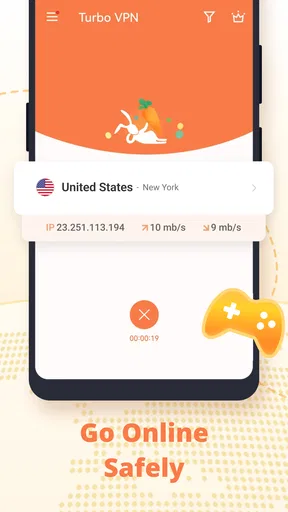
I would make the connection check part of the routine rather than tapping once and forgetting about it. After connecting, confirm the app shows an active VPN session before opening anything sensitive, and reconnect if the status changes. If an app or website behaves oddly, briefly disconnecting can help identify whether the VPN route is the cause. I would avoid entering payment details or signing into important accounts while troubleshooting, then restore the VPN before returning to ordinary browsing on public Wi-Fi.
For travel, it can be helpful to install and open a VPN before leaving home, while the usual app store and account access are available. That does not guarantee it will connect on every network, but it avoids making first-time setup part of a rushed airport or hotel check-in. I’d also keep a non-sensitive alternative ready—such as postponing an account task until I’m on a trusted connection—rather than assuming a VPN will solve every captive portal or network restriction.
Who I would—and wouldn’t—recommend it to
I’d point a first-time VPN user toward Turbo VPN if the priority is a low-effort way to start using a VPN for routine browsing and occasional access to region-dependent content. It is also a reasonable app to consider if you want to try the basic workflow before deciding whether a more configurable service is worth the effort. The app is free to download, rated for Everyone, and supports Android 6.0 or later; its current version is 4.2.9.6.
I would steer someone elsewhere if their choice depends on independently verifying a provider’s privacy claims, advanced connection options, or dependable access to a particular streaming catalogue. People who need a VPN for workplace systems should use the service approved by their employer, not choose a consumer app by convenience. And if you only need protection on one trusted home network, a VPN may add little value to your routine compared with keeping devices updated and using secure websites and strong account authentication.
Quick Setup and User-Friendly Interface
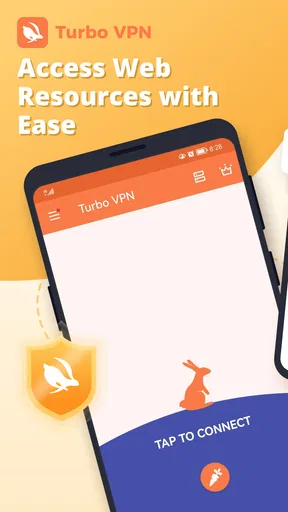
First off, let's talk about the installation and setup process. Getting started with Turbo VPN is an absolute breeze. Whether you're on Android or iOS, the app is just a quick download away from the Google Play Store or the App Store. I had it up and running within minutes, and the interface is as straightforward as it gets. No complicated settings or tech jargon to wade through—just a big, friendly "Connect" button that does what it says on the tin.
Performance and Speed
Now, on to the nitty-gritty—how does it perform? In my experience, the connection speeds were surprisingly swift. I was able to stream videos and browse without any noticeable lags. The app connects to the VPN quickly, and switching between servers is a smooth experience. Of course, like any VPN, speed can vary depending on the server load and location, but overall, Turbo VPN holds its own in the speed department.
Security Features
Security is a big deal when it comes to VPNs, and Turbo VPN doesn’t skimp here. The app uses high-level encryption to keep your data safe and your online activities private. There's also a handy kill-switch feature that cuts off your internet connection if the VPN connection drops, ensuring your data isn't accidentally exposed. For those concerned about privacy, this is a big plus.
Access to Geo-Restricted Content
One of the main reasons people turn to VPNs is to bypass geo-restrictions, and I found that Turbo VPN excels in this area. Whether you're looking to access international versions of Netflix or get around regional restrictions on certain websites, this app has got you covered. During my tests, I was able to access a wide range of content without any hiccups.
Free vs. Premium
Turbo VPN offers both a free version and a premium subscription. The free version gives you access to a limited number of servers and comes with ads, which is pretty standard fare. The premium version, on the other hand, unlocks a greater variety of servers, provides faster connection speeds, and is ad-free. If you're a heavy user, the premium version might be worth the investment.
Turbo VPN is free to install, with optional in-app purchases ranging from $0.99 to $69.99 per item. I’d start with the free experience and decide based on how often I use it and whether its limitations interrupt a real task. Before buying, check the subscription terms shown in the app and confirm which plan and renewal conditions apply; the listed purchase range alone does not tell you which option suits your usage. For occasional browsing, paying may not make sense. Frequent users who value the additional server choice and ad-free experience described above may find it more compelling.
Device Compatibility
Another highlight is the app’s compatibility across devices. Whether you're on your phone, tablet, or even your desktop, Turbo VPN has solutions that work seamlessly. I personally enjoyed the flexibility of switching between devices without losing my connection or having to reconfigure settings.
For a household with more than one device, I would still treat each installation as its own connection rather than assume that settings or account status automatically carry over. Check the app on the device you actually plan to use, particularly before travel or a time-sensitive task. A VPN connection on a phone does not automatically protect a laptop using the same Wi-Fi, so I’d make sure the app is running on each device where I want its protection.
Customer Support
If you ever run into issues, Turbo VPN offers decent customer support. While I didn’t need to reach out during my use, the app provides a help section with FAQs and troubleshooting tips. For more complex issues, you can contact their support team via email.
If a connection fails, I would first check whether the device still has ordinary internet access, then try reconnecting and testing a different network if one is available. That helps separate an app connection problem from a Wi-Fi or mobile-data problem. For a recurring issue, note what you were doing and when it happened before contacting support; a concise description is more useful than repeatedly changing settings without knowing what fixed the problem.
My final take
In conclusion, Turbo VPN - Secure VPN Proxy is a solid choice for anyone looking to enhance their online security and access restricted content with ease. It's user-friendly, performs well, and offers robust security features. While the free version has its limitations, the premium version provides excellent value for those who need more from their VPN.
My recommendation is narrower than “a VPN for everyone”: I’d choose it for approachable, everyday use, then reassess if I needed more control or had stricter privacy requirements. Its strongest case is convenience; the sensible way to use it is to verify the connection, keep expectations realistic about streaming access, and treat the provider choice as a trust decision. If those trade-offs suit you, it is an easy place to begin. If they don’t, a more transparent or configurable alternative is the better match.
Pros
- Fast connection speeds ensure smooth browsing.
- User-friendly interface for easy navigation.
- Supports multiple devices and platforms.
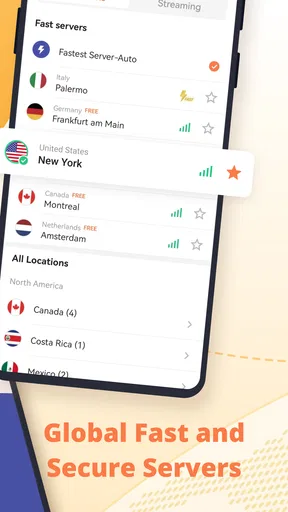
- Offers a variety of server locations worldwide.
- No registration required for basic use.
Cons
- Limited features in the free version.
- Ads can be intrusive during use.
- Connection drops occasionally.
- Free version has slower connection speeds.
- Support response can be delayed.
FAQs for Turbo VPN - Secure VPN Proxy
What platforms is Turbo VPN compatible with?
Turbo VPN is available for both Android and iOS devices, providing users with a seamless experience across different platforms. Whether you are using a smartphone or a tablet, Turbo VPN offers a user-friendly interface and efficient performance to ensure your internet connection is secure and private.
Is Turbo VPN free to use?
Yes, Turbo VPN offers a free version with basic features. However, to access additional servers and enjoy an ad-free experience, users can opt for the premium version through a subscription. The premium version provides enhanced speed and a wider selection of server locations.
How does Turbo VPN protect my privacy?
Turbo VPN uses advanced encryption protocols to safeguard your internet connection, ensuring that your online activities remain private and secure. By masking your IP address and encrypting your data, Turbo VPN helps protect against hackers and trackers, maintaining your anonymity while browsing.
Will using Turbo VPN affect my internet speed?
While using a VPN can slightly affect internet speed due to encryption and server routing, Turbo VPN is designed to minimize this impact. The premium version offers faster speeds by allowing access to high-speed servers, making it ideal for streaming and downloading content with minimal disruption.
Can Turbo VPN be used for streaming services?
Turbo VPN supports access to various streaming services by allowing users to bypass geo-restrictions. However, availability may vary depending on the server location and the specific streaming service. The premium version is recommended for better performance and a wider range of accessible content.


